Instant Access
Enter your registered email and password on any page of the site and you land straight in the lobby. No additional software, no waiting screen.
Log In to Spinrise Casino
Access your account, pokies, live tables, and cashier in seconds from any browser on desktop or mobile.
Keeping Your Spinrise Account Secure
What You Should Do
What You Should Avoid
Your Spinrise Login, Simplified
Instant Access
Enter your registered email and password on any page of the site and you land straight in the lobby. No additional software, no waiting screen.
Two-Factor Authentication
Enable 2FA in account settings to add a second verification step. Even if your password is compromised, your balance stays protected.
Mobile Login
The Spinrise login page scales perfectly to iOS and Android browsers. Save your credentials or install the PWA shortcut for one-tap access.
Signing in to Spinrise is a single short process regardless of the device you are on. The login button sits at the top of every page on the site, so you never have to navigate away from wherever you land.
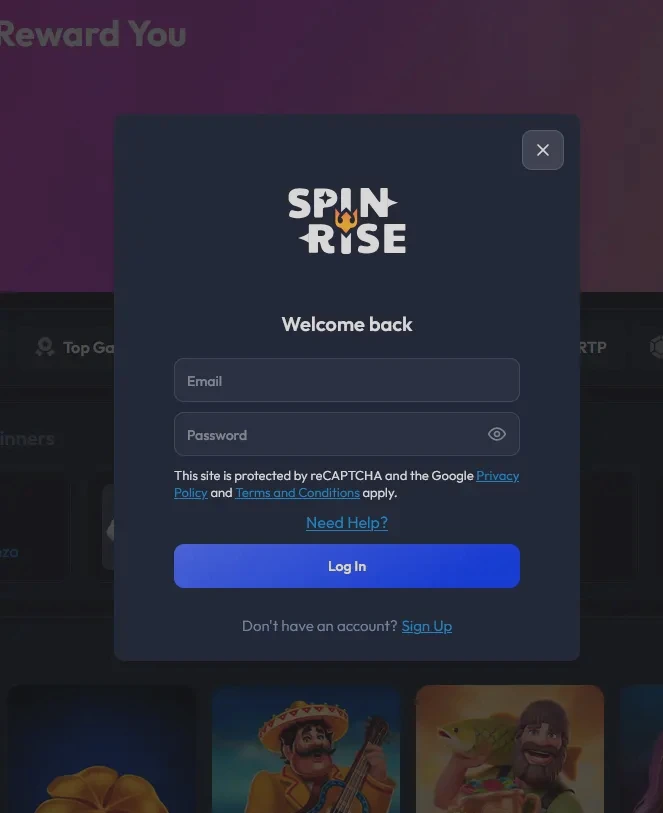
Open spinrisepokies.com in any modern desktop browser (Chrome, Firefox, Edge, or Safari on macOS). Click the Log In button in the upper area of the page. Enter the email address you registered with and your password, then click confirm. You land directly in the lobby with your balance displayed. If you have 2FA enabled, a second prompt will ask for the verification code from your authenticator app before access is granted.
Open Safari on iOS or Chrome on Android and navigate to spinrisepokies.com. The site detects your screen size and serves the mobile-optimised layout automatically. Tap Log In, enter your credentials, and you are in. The mobile lobby gives you full access to pokies, live tables, the cashier, your bonus section, and live chat. There is no cut-down experience on mobile: every feature available on desktop is present in the browser on your phone.
Spinrise does not publish a native application on the App Store or Google Play. Instead, you access the full casino through the mobile browser. The progressive web app (PWA) can be installed as a shortcut on your home screen via the “Add to Home Screen” option in your browser menu, giving you an icon that opens the site directly. Once the shortcut is set up, tapping it launches the site and prompts your saved login credentials, making access as fast as opening any installed app. For full installation steps, visit the app page.
Spinrise uses email and password as the standard login method. At registration, you set a password linked to your email address, and that combination is what you use every time you return. There is no social login (Google, Facebook) or phone-number-based login. Two-factor authentication is an optional layer on top of email-and-password login rather than a replacement for it.
If you registered with a particular email and later want to update it, contact support at [email protected], as email changes require identity verification before they are processed.
Most login failures at Spinrise fall into one of five categories, and each has a straightforward fix.
Incorrect password. Use the Forgot Password link on the login screen. Enter your registered email and follow the reset link sent to your inbox. If the email does not arrive within a few minutes, check your spam or junk folder before requesting another reset.
Incorrect email. If you are unsure which email address you registered with, try any addresses you commonly use. If none work, contact live chat with any personal details you provided at registration (name, date of birth) so support can locate the account.
Account locked. After a defined number of consecutive failed login attempts, Spinrise temporarily locks the account as a fraud prevention measure. Live chat can verify your identity and restore access, typically within a few minutes.
Browser caching issues. If the login page is not loading correctly or is looping back after you submit credentials, clear your browser cache and cookies for the Spinrise domain, then reload the page. On mobile, closing the browser fully and reopening it achieves the same result.
KYC hold. In rare cases, an account may have restricted access pending identity verification. If you see a message about verification when trying to log in, contact [email protected] and submit your documents. Accepted documents for Australian players include an Australian driver’s licence, a passport, or a government-issued photo ID, plus a utility bill or bank statement as proof of address dated within the last three months.
Your Spinrise account holds a real-money balance and links to verified payment methods, so securing it properly is worth the few minutes it takes.
Two-factor authentication is the single most effective upgrade available to standard accounts. Once enabled in your profile settings, every login requires a time-limited code from your authenticator app in addition to your password. This means that even if your password is obtained by a third party, your account cannot be accessed without the second factor. Players at Silver VIP tier and above also have access to phone support for account-level issues, providing an additional escalation route if login problems arise.
Spinrise monitors login attempts for unusual patterns and may prompt an extra verification step if access is attempted from a new device or unusual location. If you receive an unexpected verification prompt, do not dismiss it: complete it to confirm the login is yours, or contact support immediately if you did not initiate it.
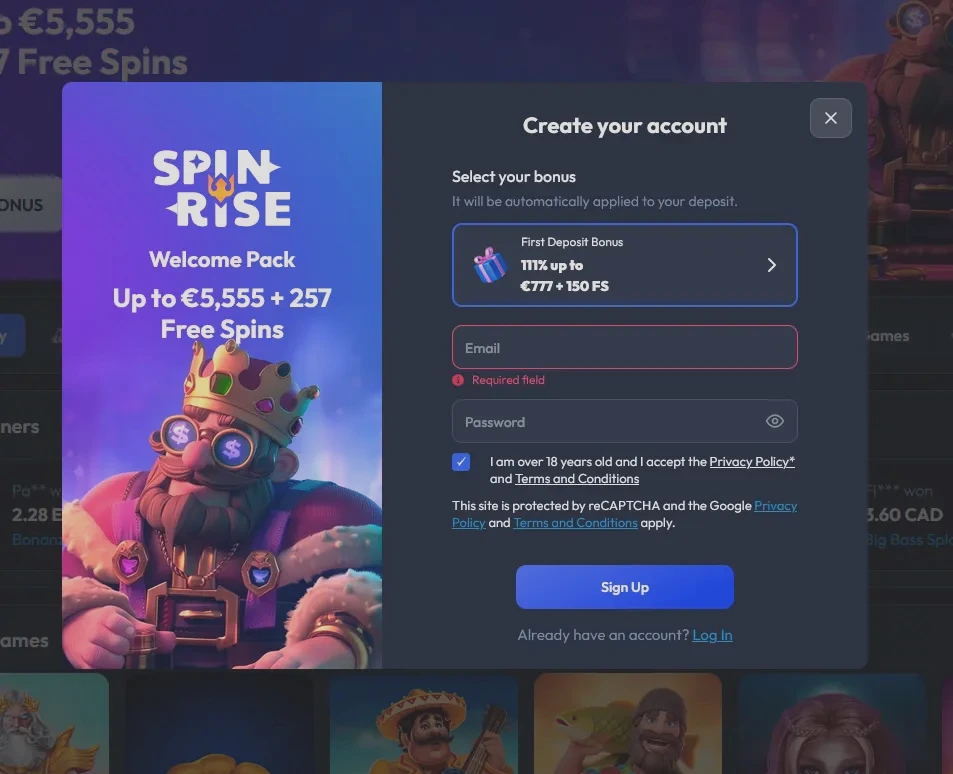
Registration at Spinrise is open to players aged 18 and over. The sign-up process takes under five minutes: click Sign Up on the site, enter your email address and a password, confirm you are 18 or older, select AUD as your account currency, and verify your email via the confirmation link we send. Once your email is confirmed your account is active, and you can make your first deposit to claim the welcome package. All registration details must match the identity documents you will submit at KYC, so using accurate information from the start prevents delays when you come to withdraw.
Login Questions Answered
Click the 'Forgot Password' or 'Need help?' link on the login screen, enter your registered email address, and follow the reset link sent to your inbox. The new password is active within minutes.
Contact the 24/7 live chat support team at Spinrise, who can verify your identity and unlock access. You can also email [email protected] with your registered account details.
Yes. Most mobile browsers offer the option to save credentials, and the Spinrise PWA shortcut on your home screen preserves your session state, so returning to the lobby is a single tap.
Log In and Start Playing
Grab 111% up to $5,555 and 257 free spins.
Enter the Casino You must be 18 or older to play. Gambling carries a risk of loss and possible addiction; bonus terms and conditions apply.